Page 1 of 1
Issue with Fresnel + Normal Map
Posted: Thu Nov 15, 2018 5:00 pm
by Noors
Hi,
I'm not sure what possibly went wrong with this fairly simple setup :
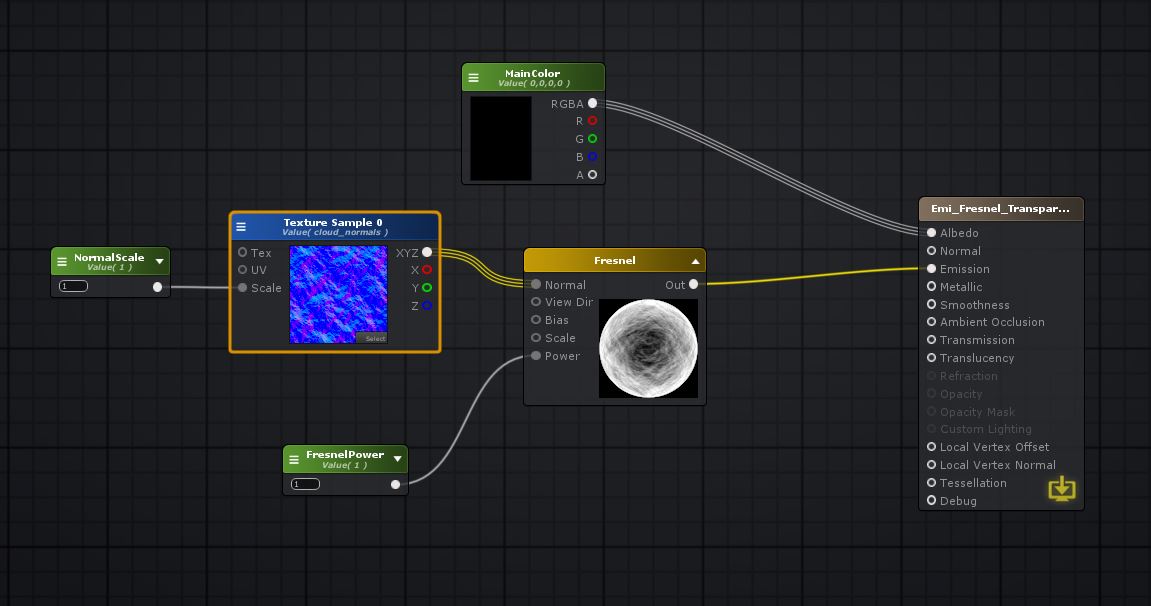
- AS_FresnelTrouble.JPG (74.13 KiB) Viewed 3497 times
The normal map does absolutely nothing tho the preview seems to show it ok.
I use the last version me thinks (1.5.9)
Thanks !
Re: Issue with Fresnel + Normal Map
Posted: Fri Nov 16, 2018 12:12 pm
by Amplify_Borba
Hello, thank you for getting in touch and for your support!
We've ran some tests on our side and have confirmed that there's indeed an issue with the Fresnel node, so we'll be tackling it as soon as possible, apologies for the inconvenience.
We'll get back in touch as soon as we have any developments!
Re: Issue with Fresnel + Normal Map
Posted: Wed Nov 21, 2018 1:41 am
by jake_from_bend
Hi Noors,
I'm not on the same version of Amplify as you, but I believe the fresnel node expects a
world-space normal map as input, which might be why it isn't working for you.
As far as i can tell, ASE doesn't include a tangent-to-worldspace conversion node, so I created my own function to do that. Here's what that graph looks like:
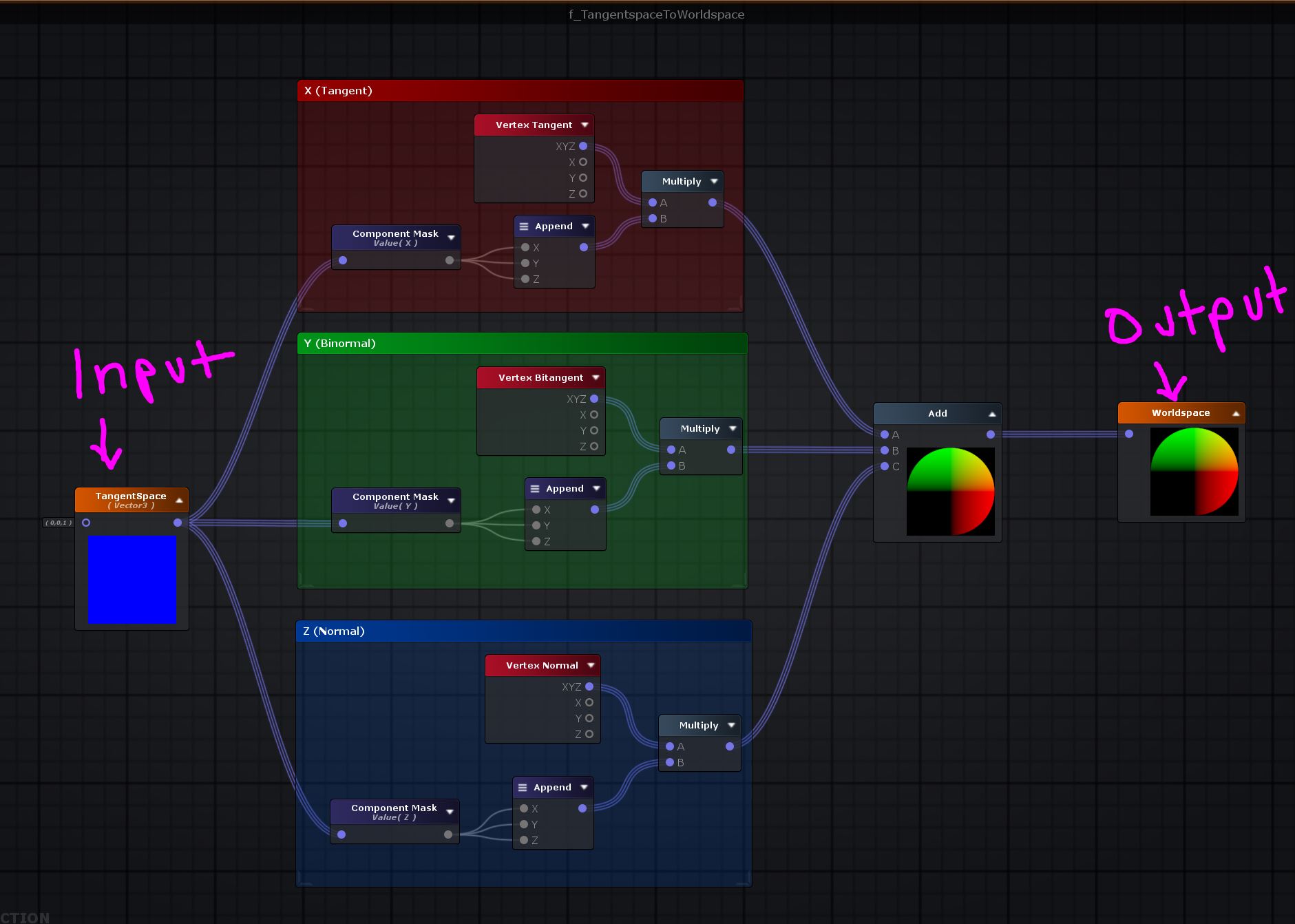
- TangentToWorld.JPG (186.46 KiB) Viewed 3474 times
Hope this helps.
-Jake
Re: Issue with Fresnel + Normal Map
Posted: Wed Nov 21, 2018 2:59 pm
by Amplify_Borba
We've just released a new build in which we've fixed the issue with the 'Fresnel' node's Tangent Normal vectors on Surface shaders, feel free to
download the latest version through our website.
Regarding converting tangent to world space, we do offer the
Transform Direction node which does that type conversion:

The wiki node page still needs to be updated though, since we've added this sometime after introducing the node.
Hope this helps!
Re: Issue with Fresnel + Normal Map
Posted: Fri Nov 30, 2018 9:16 am
by Noors
Thanks a lot !