Incorrect Tessellation shadow

Node-based Shader Editor
Post Reply
minh01218834066
Posts: 3
Joined: Tue Jun 12, 2018 4:59 pm

Incorrect Tessellation shadow

Post by minh01218834066 »

I follow this https://unity3d.com/es/learn/tutorials/ ... der-editor tutorial on unity (2018.1.0f2 with ASE 1.5.3)

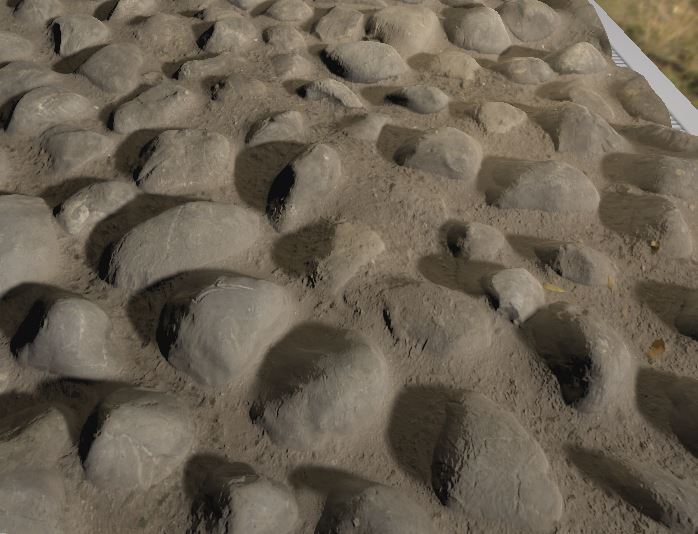
With default setup (nothing relate to World Normal of Vertex Normal function) it works perfect:
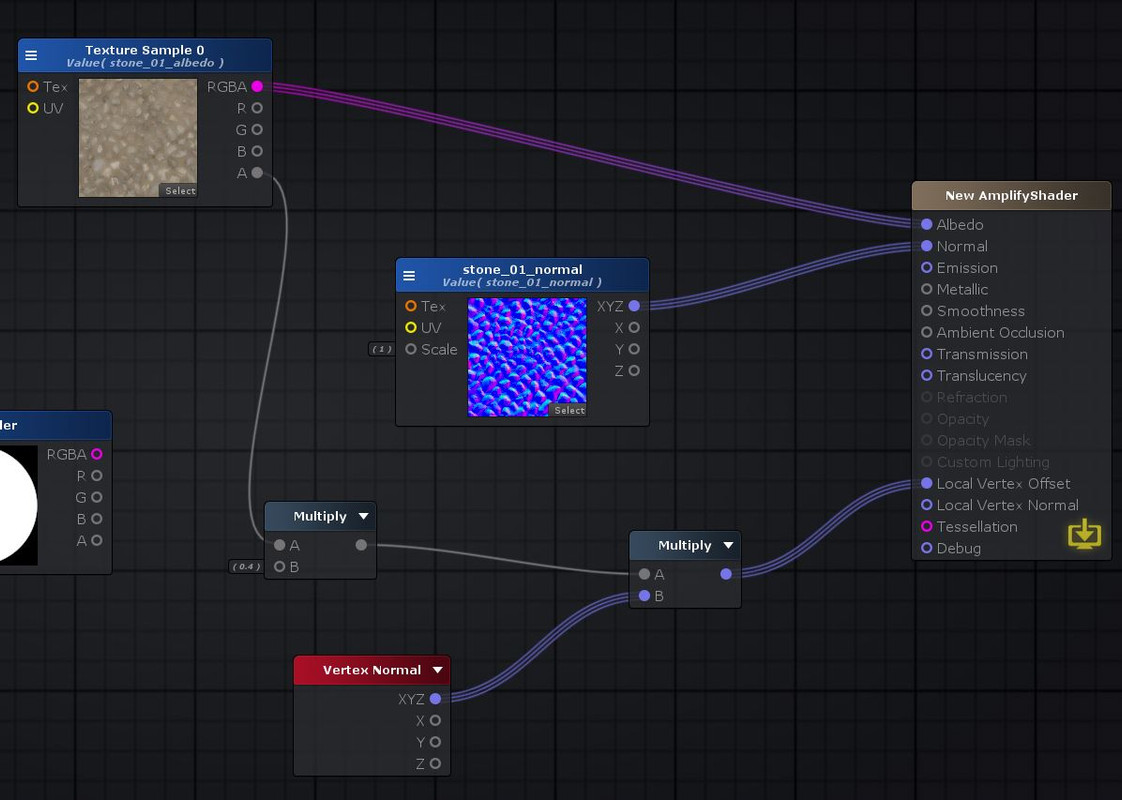
Image
Image

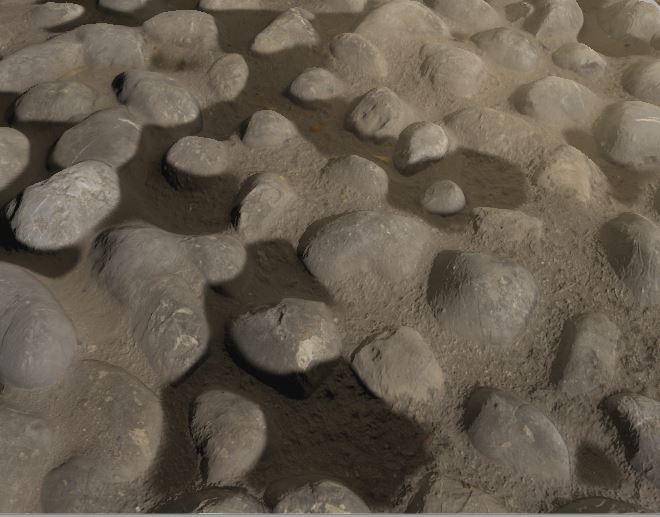
But if we add in some nodes that are related to functions like World Normal and Vertex Normal, It will screw up the shadow of Tessellation
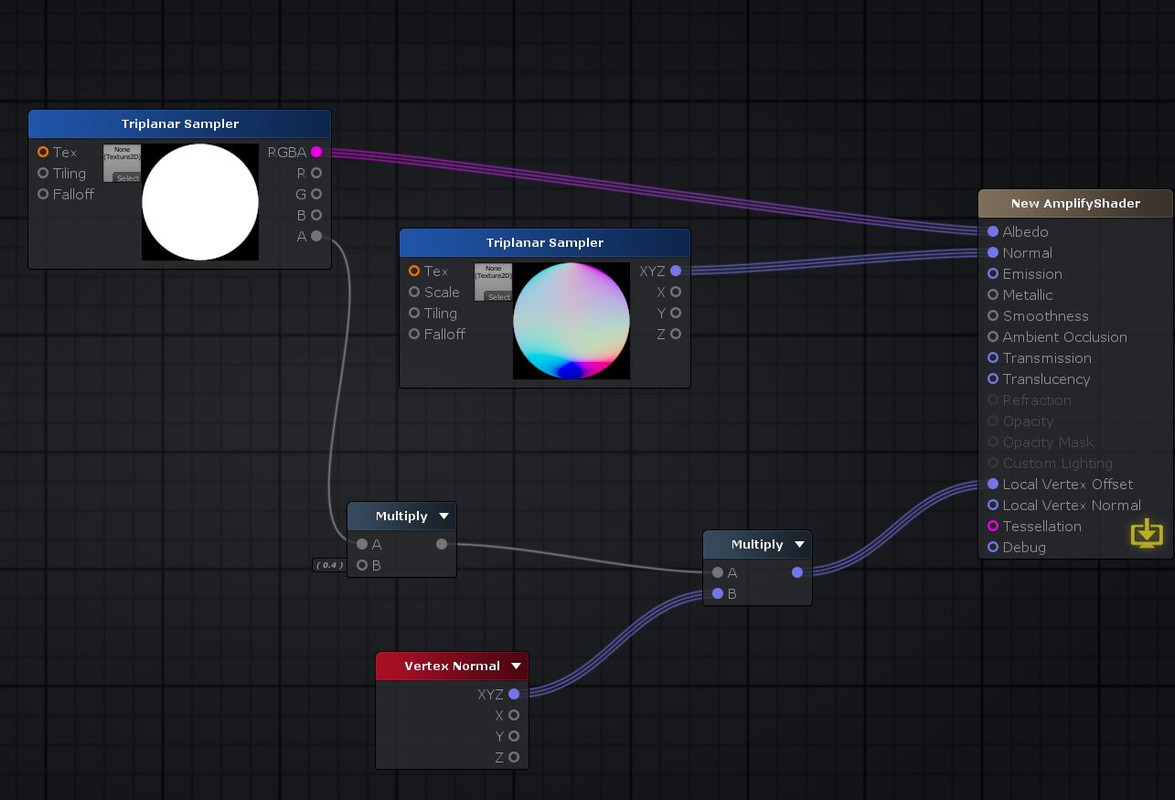
Image
Image

The case is, Triplanar Sampler (which is related to World Normal function) is in use in the second test, and it will screw up the shadow.

Even thing like this will make the shadow of Tessellation go wrong (Vertex Normal multiply by zero and connect to Metallic - I can't understand why?).
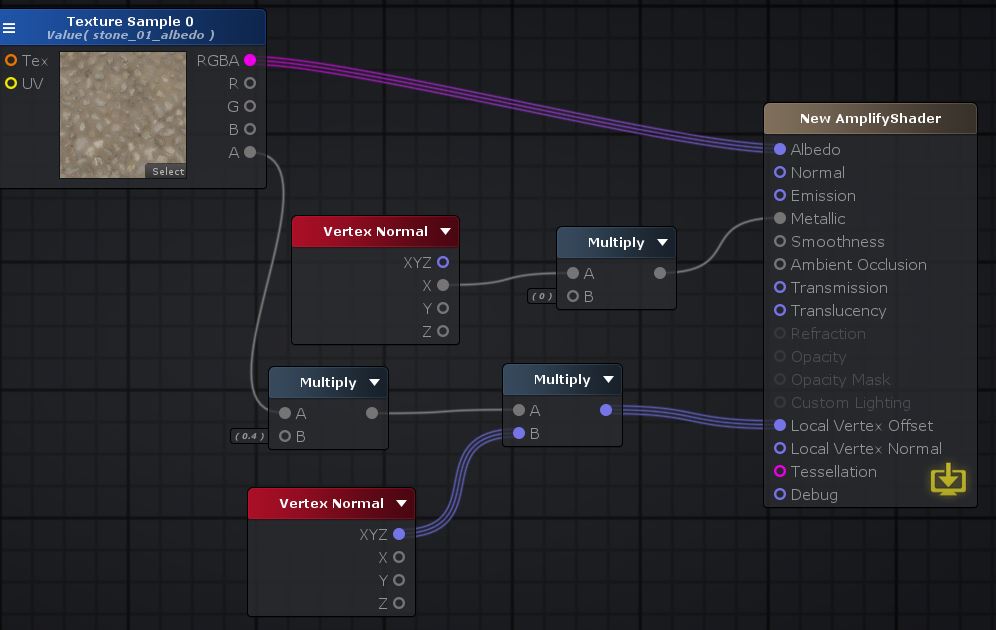
Image

Thank you.
User avatar
Amplify_Borba
Posts: 1239
Joined: Mon Jul 24, 2017 9:50 am

Re: Incorrect Tessellation shadow

Post by Amplify_Borba »

Hello, thank you for getting in touch and for your support!

Apologies but I'm having trouble fully understanding the issue, I've tested both the example in the tutorial and the node setup you've shared in your screenshot, and everything seems to be working as expected on my end.

Would you mind sending us a sample with the issue present, together with additional details regarding the expected results of your setup? I might've missed something in my tests, so a sample would be extremely helpful in order to debug the issue with the exact same conditions.

Thanks!
Customer Relations at Amplify Creations
Learn more about our offering: Amplify Creations Products
Amplify Shader Editor won the Asset Store Best Tool Award - Thank you for your support!
minh01218834066
Posts: 3
Joined: Tue Jun 12, 2018 4:59 pm

Re: Incorrect Tessellation shadow

Post by minh01218834066 »

Thank you for your time. This is the project https://mega.nz/#!6JcVFD5D!_HbQPSr32y07 ... 5ke4P1F2lY

First, open the project => open the "Shadow incorrect" scene right in the Assets folder.
User avatar
Amplify_Borba
Posts: 1239
Joined: Mon Jul 24, 2017 9:50 am

Re: Incorrect Tessellation shadow

Post by Amplify_Borba »

Thank you for taking the time to prepare a sample for us!

Since we'll be away for the week as we're going to be present at Unite Berlin, we'll only be able to tackle the issue you're having throughout next week, apologies for the inconvenience.
Customer Relations at Amplify Creations
Learn more about our offering: Amplify Creations Products
Amplify Shader Editor won the Asset Store Best Tool Award - Thank you for your support!
User avatar
Ricardo Teixeira
Posts: 954
Joined: Fri Aug 09, 2013 2:26 pm

Re: Incorrect Tessellation shadow

Post by Ricardo Teixeira »

Greetings!

We've examine the sample provided and should be able to offer additional information soon.

Apologies for the inconvenience, thank you for understanding.

Thanks!
Sales & Customer Relations at Amplify Creations
Learn more about our offering: Amplify Creations Products
Amplify Shader Editor won the Asset Store Best Tool Award - Thank you for your support!
minh01218834066
Posts: 3
Joined: Tue Jun 12, 2018 4:59 pm

Re: Incorrect Tessellation shadow

Post by minh01218834066 »

Thanks!! Please let us know when you discovered the problem. :D
elfinik
Posts: 1
Joined: Tue Jul 24, 2018 8:25 am

Re: Incorrect Tessellation shadow

Post by elfinik »

Hi!
I have the same problem
Tell me please, did you manage to solve it?
User avatar
Amplify_Borba
Posts: 1239
Joined: Mon Jul 24, 2017 9:50 am

Re: Incorrect Tessellation shadow

Post by Amplify_Borba »

Hello!

Unfortunately, we still haven't had any developments regarding this issue, apologies for the inconvenience.

We'll be sure to reply to this thread as soon as we have any updates to share, thank you for understanding!
Customer Relations at Amplify Creations
Learn more about our offering: Amplify Creations Products
Amplify Shader Editor won the Asset Store Best Tool Award - Thank you for your support!
Post Reply